

Exporting Data Reports
This article shows Order Administrators and Order Processors how to export the data reports featured in Facilitron Works.
Accessing the Export Data Menu
To access the Exporting data menu, go to Reports > Exporting > select your desired export.
Export Options
From the Exporting data menu, you may access the following exports:
Asset Data - export all data on the assets configured in the system in an .xlsx file
Employee Data - export all data on the employees/workers configured in the system in an .xlsx file
Key Inventory - export all data on the keys configured in the system in an .xlsx file by user name, key name, key number and property
Property Data - export all data on the properties configured in the system in an .xlsx file
User List - export all data on the users configured in the system in an .xlsx file
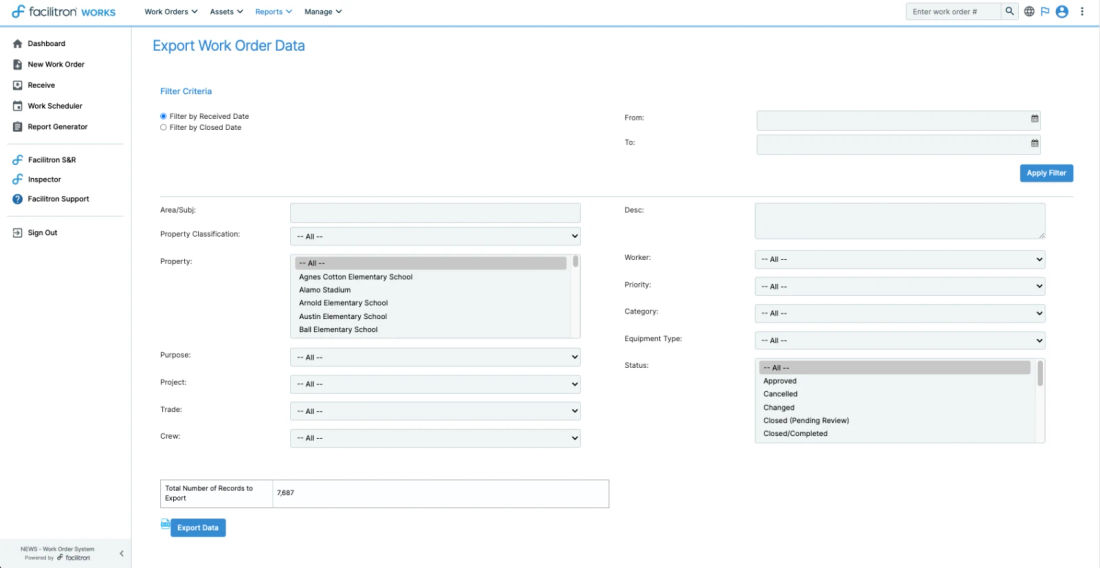
Work Order Data - export all data on the work orders configured in the system in an .xlsx file by various parameters (see below)
Related articles
Still need help?
If this article didn't solve your problem, our support team can help. We'll include this article so they have context.